AI bookkeeping: say it, and it's logged
Type, hold to talk, or take a photo of a receipt. AI fills in the amount, category and time, shows you the draft, and records it only after you confirm.
Logging costs nothing; AI features come with a starter allowance on sign-up (rules), then pay as you go
How it works
Say it in chat
Type or hold to talk; one sentence will do.
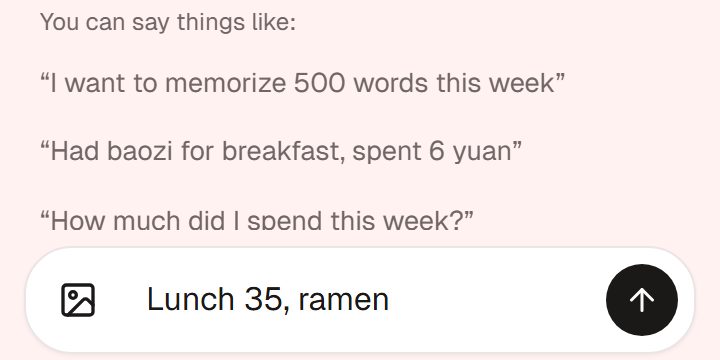
Illustration · fictional data Check the draft
Fix anything, then tap Create to log it.
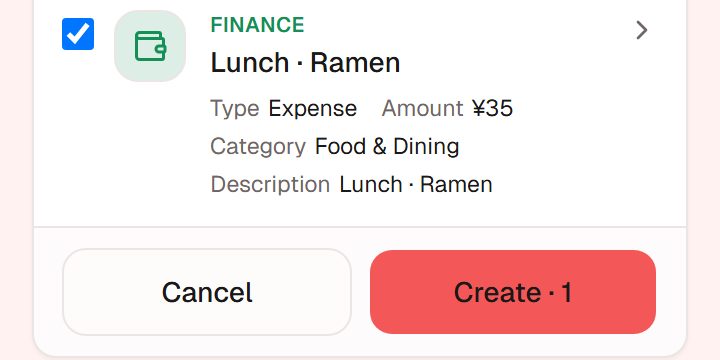
Illustration · fictional data It lands in your list
It lands in your list; edit or delete later.
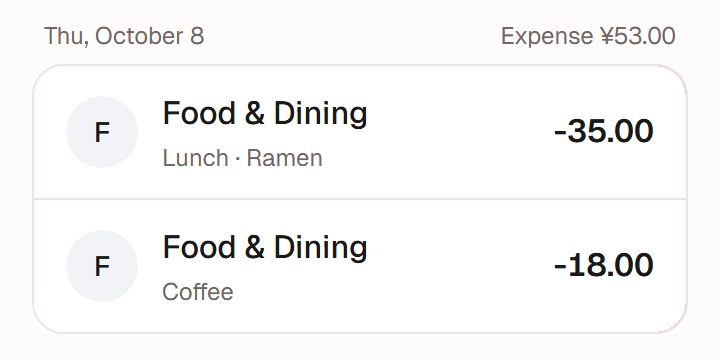
Illustration · fictional data


Three ways to log, pick what suits you
The hard part of tracking spending is rarely the maths. It is opening the app and filling things in.
Say it
"Coffee 18", "Rent 3200, paid on the 1st"; type it or hold to talk. Mention several expenses in one sentence and AI splits them into separate entries for you to confirm; tick only the ones you want.
Snap a receipt or pick a screenshot
AI tries to read the amount; if it gets it wrong, you can fix it before confirming.
Import WeChat Pay or Alipay bill files
The file is read on your device and never uploaded. See bill import.
After you log, see where the money went
Totals by category
Analytics shows your spending mix by month, quarter or year.
Compared with your own past
Once there is enough, Insight compares the recent stretch with your own earlier records, and says so when a comparison does not hold up.
Costs, plainly
Logging by hand and importing bill files use no credits; AI chat, voice transcription and photo recognition use credits. See the FAQ. Amounts are recorded in RMB (¥).
It can get things wrong, so it asks first
We don't pretend AI is always right.
Every entry waits for you
AI drafts it; it is recorded only when you tap Create, and you can still edit or delete it afterwards.
A heads-up on look-alikes
If an entry looks a lot like one you've already logged, you'll get a heads-up; whether to keep it is up to you.
Where it slips
Take a second look at handwritten receipts, blurry or glaring photos, and images with several items.
Works well with
Bill import
Bring in WeChat Pay and Alipay bills and catch up on past spending in one go.Full guide to bill importInsight
Once you've logged enough, a look back built only from your own records.Full guide to InsightTime log
Note where your time went and see it by week or month. You can also ask, "how long did I exercise this week?"Full guide to the time log
Ready when you are
Nothing to install. Open it in a browser or in WeChat, sign up, and start in chat.