Goals: connect them to each day's tasks
Write goals by how far ahead they are, then attach tasks and habits so they show up in your days.
Logging costs nothing; AI features come with a starter allowance on sign-up (rules), then pay as you go
How it works
Write goals by time frame
Write goals for this week, month or year.
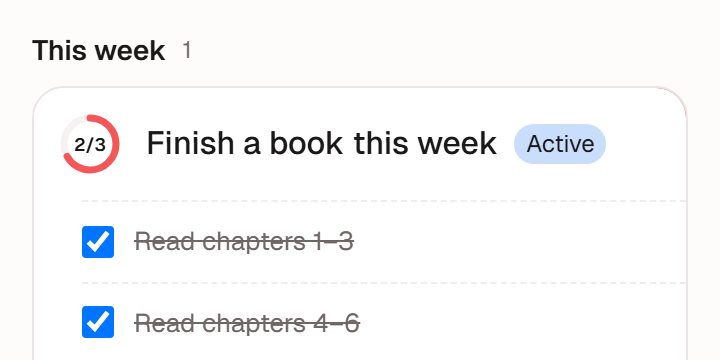
Illustration · fictional data Attach tasks and habits
Pick the goal under "Linked goal".
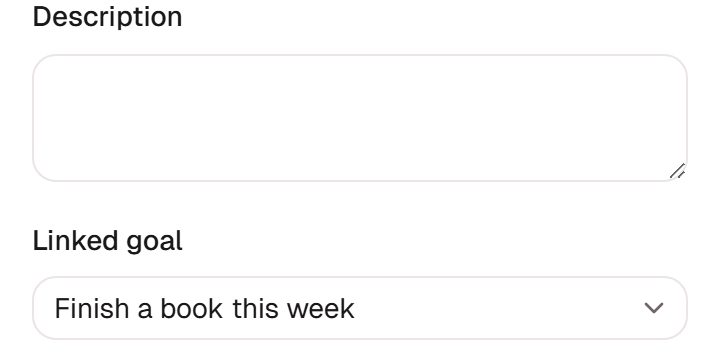
Illustration · fictional data Check progress
The ring shows how many tasks are done.
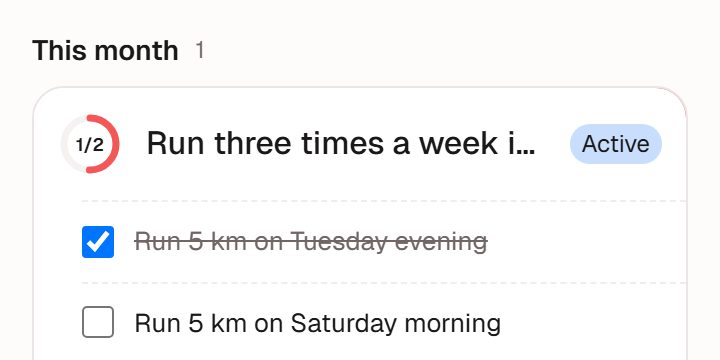
Illustration · fictional data


How goals work
By time frame
This week, this month, this year and further out: each has its own goals.
Tasks and habits underneath
A goal is what you want to get done; tasks and habits are what you do day to day.
Progress follows the tasks
Tick off a task under a goal and its progress moves forward.
Looking back
Review cards
When a period ends, a review card counts up what you did.
Insight
Once there is enough, Insight puts what you said you would do next to what you did.
What we deliberately don't do
No scores
No grading your goals, and no grading you.
No nagging
It connects your goals to your days so you can see them. Whether and how you do them is up to you.
Works well with
Habits
Tap once a day, fill in a missed day, look back on a calendar.Full guide to habitsTime log
Note where your time went and see it by week or month. You can also ask, "how long did I exercise this week?"Full guide to the time logInsight
Once you've logged enough, a look back built only from your own records.Full guide to Insight
Ready when you are
Nothing to install. Open it in a browser or in WeChat, sign up, and start in chat.